









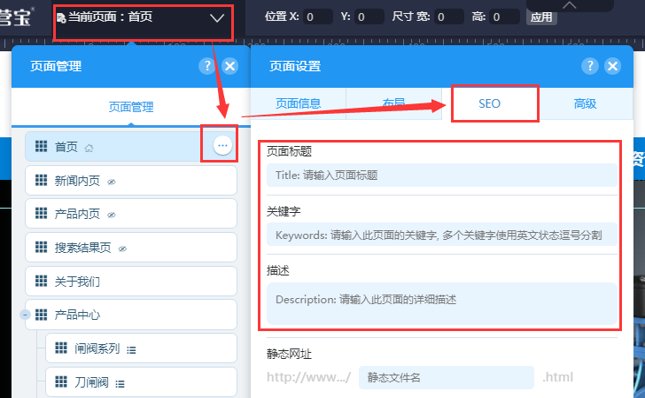
1. Set page title, keywords, and description.
In the website page management, enter the page settings, and in SEO you can set the page title, keywords and description.
The length of the page title cannot exceed the limit: Baidu displays 30 Chinese characters, and Google displays 65 English characters.
The word length of the page description cannot exceed the limit: Baidu displays 77 Chinese characters, and Google displays 156 English characters.
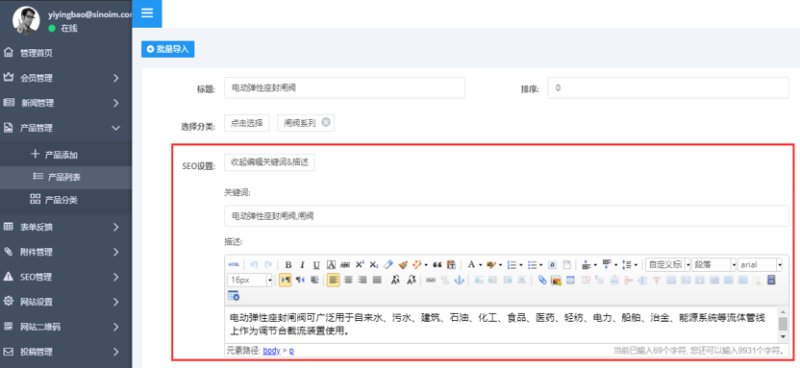
2. Set keywords and descriptions for the product/news details page.
On the editing page of products/news in the management background, click SEO settings to add keywords and descriptions for the details page.
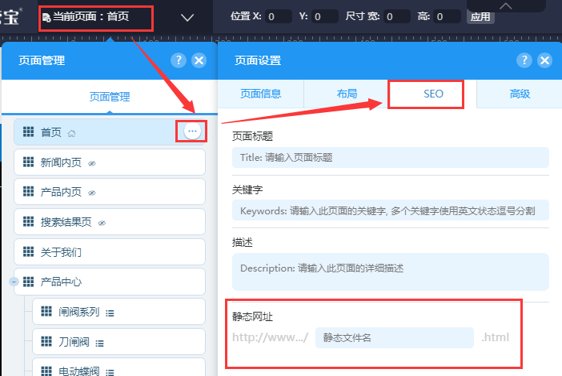
3. Set the URL of the page
In the website page management, enter the page settings, and you can set the static file name of the page in SEO.
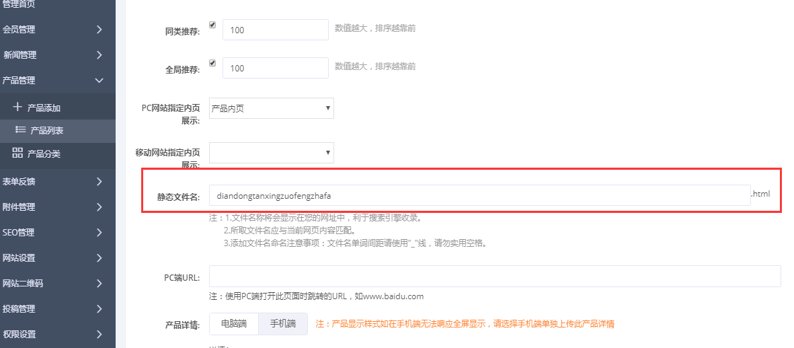
4. Set the URL of the product details page
On the product/news editing page in the admin background, you can set the static file name of the details page.
5. Set image description
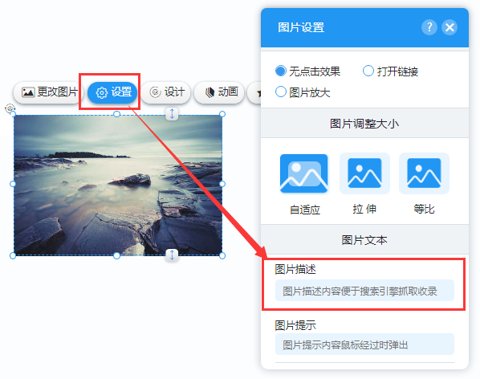
Since search engines do not crawl images, you need to add descriptions to the images. The best descriptions for images are phrases related to the image content. You can add image descriptions in the "Settings" of the image properties.
6. Set the H1 tag
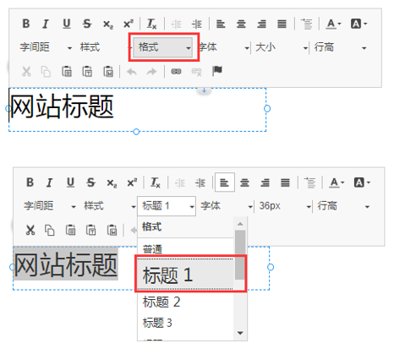
The <h> tag refers to the emphasis on the title of a text in the HTML of a web page, with tags <h1>, <h2>, <h3>, etc. showing the decreasing importance. The main significance of the <h> tag is to tell search engines that this is the title of a text. The tag should include the most important keywords in the text. In the format of the title, you can set the H tag.
7. Generate a site map
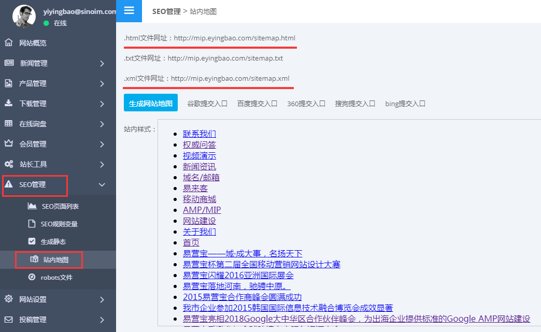
After the website is launched, the system will automatically generate a site map, which can be viewed in the SEO Management-Site Map in the management backend.
XML: Provides a site map for search engine spiders to crawl.
HTML: Provides convenience and direction to users.
8. Secure Website and 301 Redirects
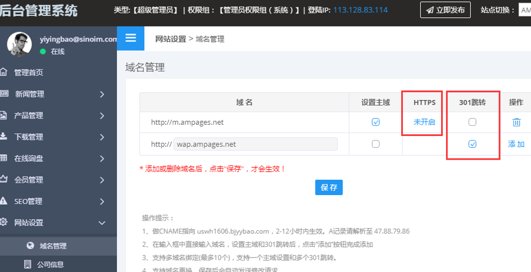
In the management backend, in website settings-domain management, you can install an SSL certificate and enable https. If the website is bound to multiple domain names, you can set up a 301 redirect.
SSL certificates protect customer privacy and website data security by establishing an SSL secure channel between the client browser and the web server.
For the meaning of 301 redirect, you can click to view: The meaning of 301 redirect
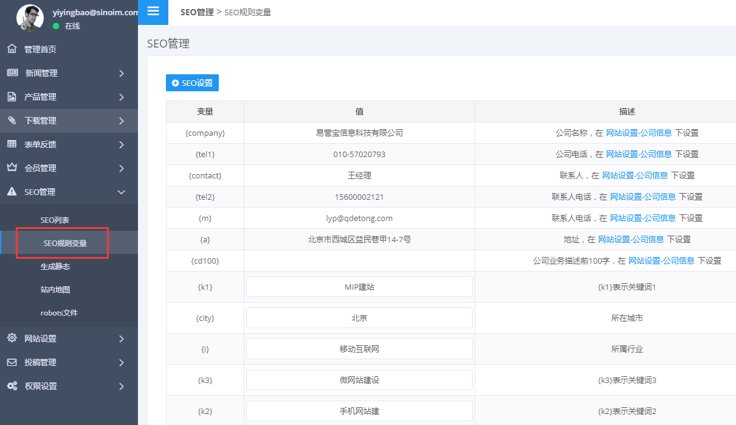
9. Set variable rules
When setting up website SEO, you can select variable calls to facilitate background modification and maintenance. Variables are set in the management background SEO management-SEO rule variables
Online Inquiry
