









WhatsApp Security Verification Guide
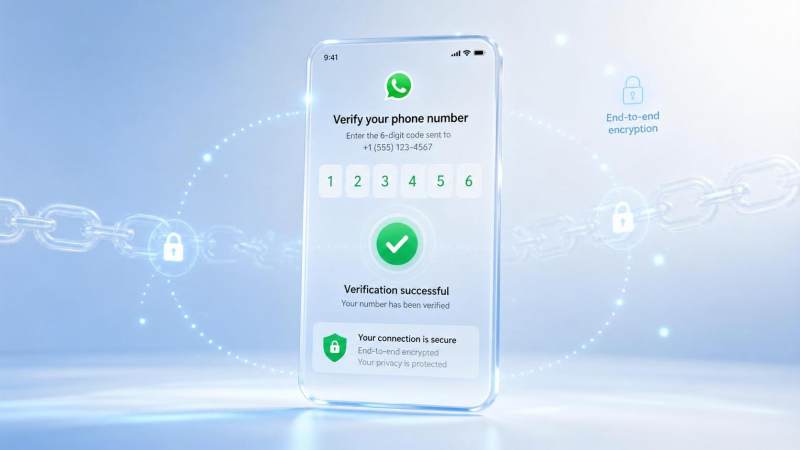
WhatsApp security verification is an important mechanism for protecting account, chat, and device login security. Many users encounter issues related to “WhatsApp security verification” when registering, changing phones, logging in on a new device, enabling two-step verification, seeing a security code change, or receiving an unfamiliar verification code.
This topic will explain the main types of WhatsApp security verification, usage scenarios, setup methods, common risks, and troubleshooting methods, helping you determine which verifications are part of the normal security process and which situations may indicate that an account is at risk.
What is WhatsApp security verification?
WhatsApp security verification is not a single function, but a set of account security mechanisms mainly used to confirm:
Whether you own the current mobile number
Whether the account is being re-registered
Whether chats are still protected by end-to-end encryption
Whether the login device is trusted
Whether additional identity verification is needed to protect the account
Common WhatsApp security verification includes registration verification codes, two-step verification PINs, security code change alerts, Passkey, web version Code Verify, and account protection methods such as device lock and app lock.
What types does WhatsApp security verification mainly include?
Different security verification methods correspond to different user scenarios. The verification code seen during registration, the security code prompt in chats, and the PIN required when logging in again are not the same type of verification.
What is the WhatsApp registration verification code?
The WhatsApp registration verification code is usually a 6-digit code used to confirm ownership of a mobile number. According to the WhatsApp Help Center, the system sends a verification code during registration to confirm that you own the phone number you intend to use.
This verification code is very important. Anyone who obtains your verification code may try to register your WhatsApp account on another device.
Security recommendations:
Do not share the verification code with anyone
WhatsApp officials will not proactively ask you for a verification code
If you receive a verification code without taking any action, it may mean someone is trying to register your number
If you receive an unfamiliar verification code, do not reply or click suspicious links
To learn more about the article on 【WhatsApp registration verification code】, please click:
What should I do if I can't receive the WhatsApp verification code?
Why did I receive a WhatsApp verification code without logging in?
What is WhatsApp two-step verification?
WhatsApp two-step verification is an optional security feature. After enabling it, you need to set a 6-digit PIN. When you re-register your WhatsApp account, you may need to enter the two-step verification PIN in addition to the SMS or phone verification code.
It is different from the registration verification code:
It is recommended that all WhatsApp users enable two-step verification, especially accounts frequently used for business communication, cross-border customer contact, community operations, or payment communication.
To learn more about the article on 【WhatsApp two-step verification】, please click:
What should I do if I forget my WhatsApp two-step verification PIN?
What is the difference between WhatsApp two-step verification and verification code?
WhatsApp security code
The WhatsApp security code is used to verify whether a chat is protected by end-to-end encryption. Each chat has a corresponding security code, and the code may change when the contact changes phones, reinstalls WhatsApp, or re-registers the account.
Seeing “security code changed” does not necessarily mean the account has been stolen. In many cases, this is just a normal prompt after the contact changes devices. However, if after the security code changes the other party also sends suspicious links, loan requests, unfamiliar files, or suspicious messages, you should stay alert.
To learn more about the article on 【WhatsApp security code】, please click:
WhatsApp Passkey and login security
Passkey is a more modern authentication method that can verify user identity through device lock, fingerprint recognition, or facial recognition. Compared with relying solely on SMS verification codes, Passkey can reduce the risk caused by verification code leakage.
If your device supports Passkey, it is recommended to check whether it can be enabled in WhatsApp's account security settings. For long-term WhatsApp users, especially business accounts, Passkey can serve as a supplementary security measure in addition to two-step verification.
To learn more about the related article, please click:
WhatsApp Web and linked device security
Many users use WhatsApp Web or the desktop app on a computer to handle messages. Although this is more convenient, it also brings the risk of device login. If you have ever logged into WhatsApp on a public computer, a company computer, or someone else's device, you need to regularly check linked devices.
It is recommended that users regularly go to WhatsApp's “Linked devices” page to see whether there are any unfamiliar devices. If you find an abnormal device, you should log out immediately and check whether the account has any other security risks.
For more information, please click:
WhatsApp account theft and abnormal verification handling
If your WhatsApp is suddenly logged out, cannot log in, receives unfamiliar verification codes, or contacts receive unusual messages sent by you, there may be a risk that the account has been stolen or that someone is attempting to take it over.
In this situation, the priorities are to re-verify the mobile number, avoid leaking verification codes, check two-step verification, remove unfamiliar devices, and remind contacts not to click on unusual messages. If the account is used for business, customers should also be notified as soon as possible to avoid being misled by fraudulent information.
Related articles, please click:
WhatsApp security verification troubleshooting
When using WhatsApp security verification, users often encounter issues such as not receiving verification codes, forgetting PINs, security code changes, being unable to verify the phone number, and login failures. These issues are usually related to the mobile number, network environment, SMS service, device status, or account security settings.
When troubleshooting, it is recommended to first confirm whether the phone number and country code are correct, then check the network, SMS blocking, app version, and request frequency. Do not use third-party code-receiving platforms or unofficial tools, as these may cause unstable account ownership and even bring privacy and security risks.
Related articles, please click:
What should I do if I can't receive the WhatsApp verification code?
What should I do if I cannot verify my WhatsApp phone number?
What should I do if I forget my WhatsApp two-step verification PIN?
What should I do if the WhatsApp security code changes frequently?
WhatsApp security verification setup recommendations
If you want to improve the security of your WhatsApp account, you can follow the checklist below. For users in foreign trade, cross-border e-commerce, customer service, and community operations, WhatsApp accounts often carry customer resources and business communication records, so the earlier the security verification settings are completed, the lower the subsequent risk.
Enable two-step verification.
Set a 6-digit PIN that is not easy to guess.
Bind a long-term usable email address.
Do not disclose verification codes to anyone.
Regularly check linked devices.
Do not use third-party code-receiving platforms.
Do not click unfamiliar links.
Set a screen lock for the phone.
If the device supports it, enable Passkey.
If any abnormality is found, re-verify the account in time and remove unfamiliar devices.
For users in foreign trade, cross-border e-commerce, customer service, and community operations, WhatsApp accounts often carry customer resources and business communication records, so the earlier the security verification settings are completed, the lower the subsequent risk.
FAQ: Common questions about WhatsApp security verification
What does WhatsApp security verification mean?
It refers to a set of mechanisms WhatsApp uses to confirm the security of accounts, phone numbers, devices, and chats, including registration verification codes, two-step verification, security codes, Passkey, and web security checks.
Can a WhatsApp verification code be shared with others?
No. Verification codes are used to confirm ownership of a phone number, and anyone requesting a verification code should be treated as high risk.
Is it necessary to enable WhatsApp two-step verification?
Yes. It is recommended, especially for business accounts, foreign trade accounts, community accounts, and users who frequently use WhatsApp to contact customers.
Does a security code change mean the account has been stolen?
Not necessarily. Changes in a security code may happen when a contact changes phones, reinstalls WhatsApp, or re-registers an account. However, if suspicious messages or suspicious behavior also appear, further confirmation is needed.
What should I do if I can't receive the WhatsApp verification code?
First check the phone number, area code, network, SMS blocking, app version, and request frequency. If you still cannot receive it, you can try the official phone verification method.
Can I use a code-receiving platform to register WhatsApp?
Not recommended. Code-receiving platforms carry the risks of unstable account ownership, privacy leakage, and account loss, and are not suitable for long-term WhatsApp accounts.
